About PDF Fill and Sign:
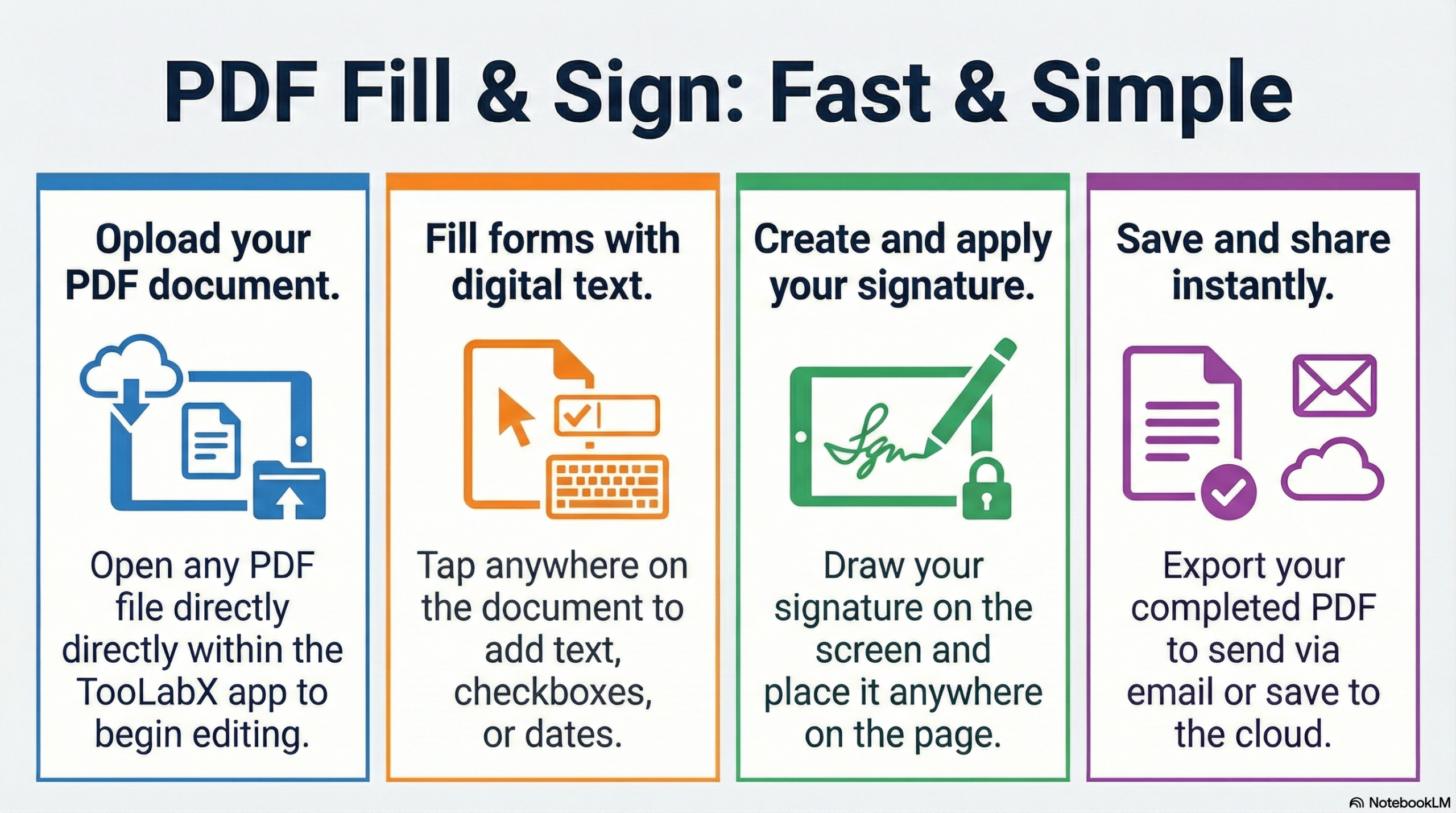
Unlock Seamless Document Management: Benefits of TooLabX PDF Fill & Sign
Tired of downloading expensive software just to fill out a form or add a simple signature? TooLabX PDF Fill & Sign is designed to eliminate friction from your digital paperwork.
100% Secure & Private (Client-Side Processing): Your files never leave your device. Unlike other online PDF editors that upload your sensitive data to their servers, TooLabX processes everything locally in your browser. Your data remains strictly yours.
Draw High-Fidelity Electronic Signatures: Ditch the printer and scanner. Use our smooth Biometric Capture tool to draw, resize, and color-code your signature directly on the document.
Comprehensive Multilingual Support (Including Arabic): Say goodbye to broken text! We natively support a wide array of fonts, including right-to-left Arabic fonts like Cairo, Tajawal, and Amiri, ensuring your documents look professional in any language.
No Registration or Paywalls: Jump straight into editing. There are no hidden fees, no watermark surprises on your exported files, and absolutely no account creation required.
Cross-Platform & Mobile Friendly: Whether you are on a desktop PC, a tablet, or signing a contract on your smartphone, our responsive touch-friendly interface adapts to your screen flawlessly.
How to Use the TooLabX PDF Fill & Sign
Getting your document signed and ready takes less than 60 seconds. Follow these simple steps:
Upload Your Document: Drag and drop your
.pdffile into the upload zone, or click the box to browse your device's files.Inject Text: Click the Add Text tool. Click anywhere on the document to type. You can customize the font family, adjust the size, change the text color, and apply bold, italic, or underline styles using the left-hand toolbar.
Add Your Signature: Click the Add Signature tool. Draw your signature on the pop-up pad, click Save, and then drag it exactly where it needs to go on the page. You can easily adjust the signature's width and ink color.
Position and Tweak: Use the Select tool to click and drag any text or signature to perfect its placement. Need to remove a mistake? Just hover over the annotation and click the red trash icon.
Export & Download: Once your document looks perfect, hit the Export Document button at the top right. TooLabX will encode your additions seamlessly and download the finalized, watermark-free PDF to your device.
Frequently Asked Questions About PDF Fill & Sign
Is TooLabX PDF Fill & Sign really free?
Yes! Our tool is completely free to use. There are no hidden subscriptions, and we will never slap a forced watermark onto your exported documents.
Are my sensitive documents safe?
Absolutely. TooLabX utilizes advanced in-browser processing. This means your PDF file is edited directly on your device's memory and is never uploaded to our servers. Your contracts, invoices, and personal forms remain 100% private.
Can I type in Arabic or other non-Latin languages?
Yes. We have specifically engineered our text injection tool to support complex text shaping. You can easily select beautiful Arabic fonts (like Changa or Cairo) from our styling menu to ensure your text renders perfectly.
How do I change the color of my signature?
When you add a signature, make sure the Select tool is active and click your signature on the document. In the left-hand menu, you will see a "Signature Style" section where you can use the color picker to change the ink color to blue, black, red, or any custom hex code!
Can I use this on my mobile phone?
Yes, the application is fully responsive. The signature pad supports touch input, allowing you to sign documents smoothly using your finger or a stylus on any smartphone or tablet.