About PDF Merger and Splitter:
Unlock Your Document Potential: The Ultimate PDF Merger and Splitter
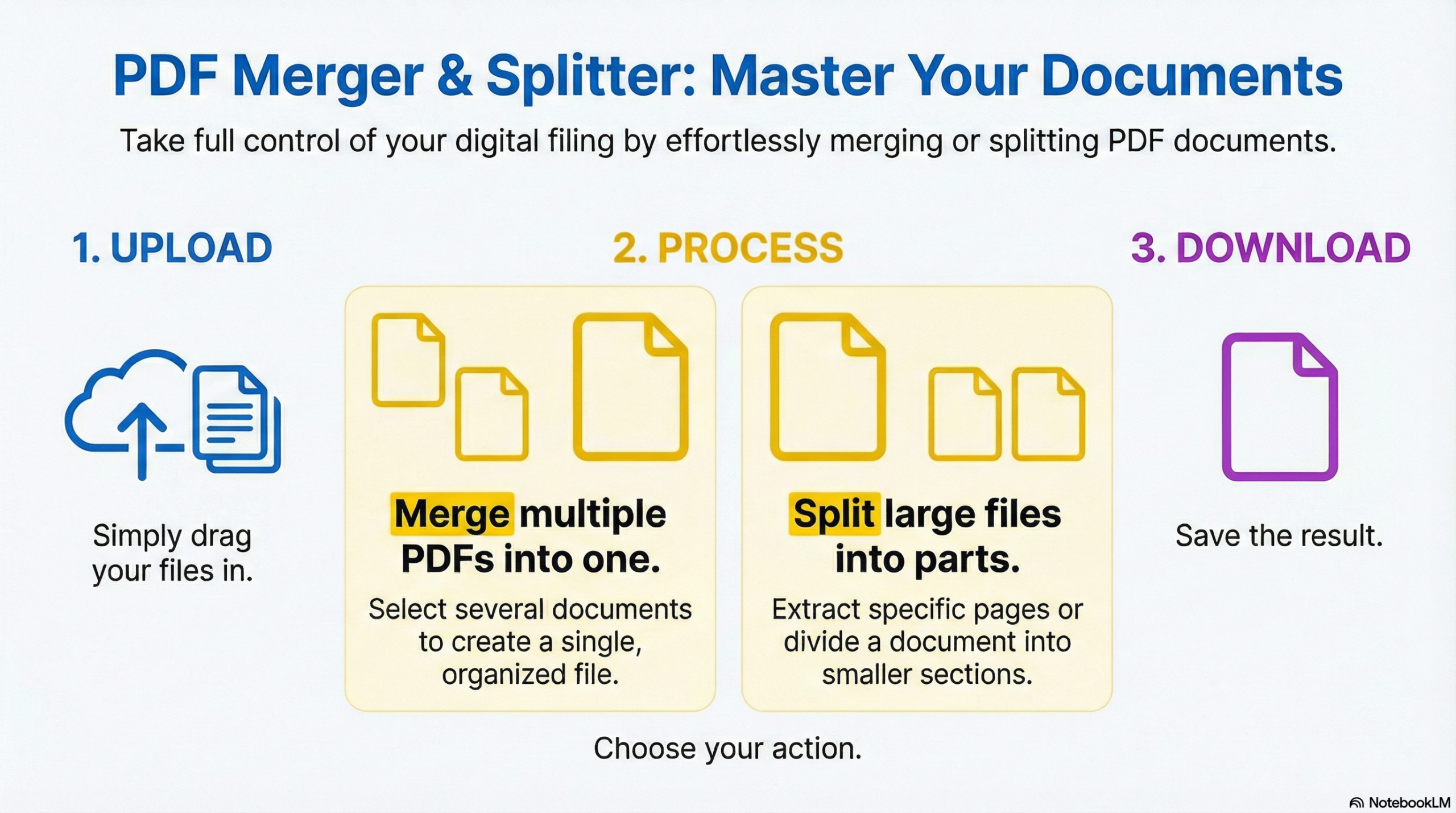
Managing documents shouldn’t feel like rocket science. Whether you need to combine multiple reports into a single cohesive file or extract just the crucial pages from a massive manual, the ToolabX PDF Merger & Splitter is your all-in-one, next-generation solution.
Why Choose ToolabX PDF Merger and Splitter for Your PDFs?
We built this tool to be fast, futuristic, and flawlessly secure. Here is why thousands of professionals trust ToolabX to handle their documents:
🔒 100% Secure & Private (Client-Side Processing): Unlike other online tools that upload your sensitive documents to a remote server, our application processes everything directly inside your web browser. Your files never leave your device, guaranteeing absolute data privacy.
⚡ Lightning-Fast “Nexus” Engine: Powered by cutting-edge web technologies, our tool executes merging (fusion) and splitting (fission) instantly, without waiting in server queues.
👁️ Visual Page Selection: No more guessing page numbers. Our Split Mode generates high-quality thumbnails of your PDF, allowing you to visually handpick exactly which pages you want to extract.
🖱️ Seamless Drag-and-Drop UI: A sleek, modern interface lets you drag and drop files directly onto the dashboard to get started immediately.
💸 Completely Free: Enjoy premium-grade PDF management without hidden paywalls, subscriptions, or watermarks.
How to Use the ToolabX PDF Merger and Splitter
Our interface is designed to be intuitive, but here is a quick guide to mastering both modes.
Merge Mode: Combine Multiple PDFs
Select Merge Mode: Click the purple “Merge Mode” button at the top of the screen.
Upload Your Files: Drag and drop your
.pdffiles into the designated zone, or click the upload area to browse your device.Review Your Nodes: Your files will appear in a clean list. Need to add more? Click the “Add More” button. Made a mistake? Click the “X” to remove a file or “Reset” to start over.
Execute Fusion: Once you have at least two files ready, click the “Merge PDFs” button. The app will instantly combine them and download your new
MERGED_DOCUMENT.pdf.
Split Mode: Extract Specific Pages
Select Split Mode: Click the cyan “Split Mode” button at the top of the screen.
Upload Your Master File: Drag and drop the single PDF you want to extract pages from.
Select Your Pages: The engine will generate visual thumbnails for your document. Simply click on the pages you want to keep. They will highlight in bright cyan.
Pro Tip: Use the “Select All” / “Deselect All” button for bulk actions.
Execute Fission: Click the “Split & Download” button. ToolabX will instantly extract your chosen pages and save them as
EXTRACTED_PAGES.pdf.
Frequently Asked Questions about PDF Merger and Splitter
Is it really safe to upload my confidential business documents here?
Yes! In fact, you aren’t “uploading” them anywhere. The ToolabX PDF tool uses client-side processing, meaning the app reads and edits the files directly within your computer’s memory. No servers, no data storage, no risk.
Are there any file size or page limits?
Because the tool relies on your device’s browser memory rather than our servers, the limit depends on your computer’s RAM. However, it comfortably handles standard PDFs (up to 50+ pages for visual splitting and sizable documents for merging) with ease.
oes this tool work on Mac, Windows, and Linux?
Absolutely. As long as you are using a modern web browser (like Chrome, Firefox, Safari, or Edge), the ToolabX PDF manager will work flawlessly regardless of your operating system.
Will ToolabX add a watermark to my merged or split PDFs?
Never. We believe your documents belong to you. Your output files will be exactly as you formatted them, completely watermark-free.
Related Productivity Tools
Excel to PDF Merger
Transform spreadsheet data into custom PDF documents automatically.
PDF Fill & Sign
Securely sign and annotate your documents directly in your browser.
Reference
To guarantee the highest level of privacy and performance, ToolabX processes your documents entirely within your browser. We achieve this zero-server security by leveraging industry-standard, secure open-source libraries:
pdf-lib PDF.js by Mozilla