TooLabX Excel to PDF Merger
Client-side bulk generator
Start by uploading a document
Upload a PDF or Image to begin.
About Excel to PDF Merger:
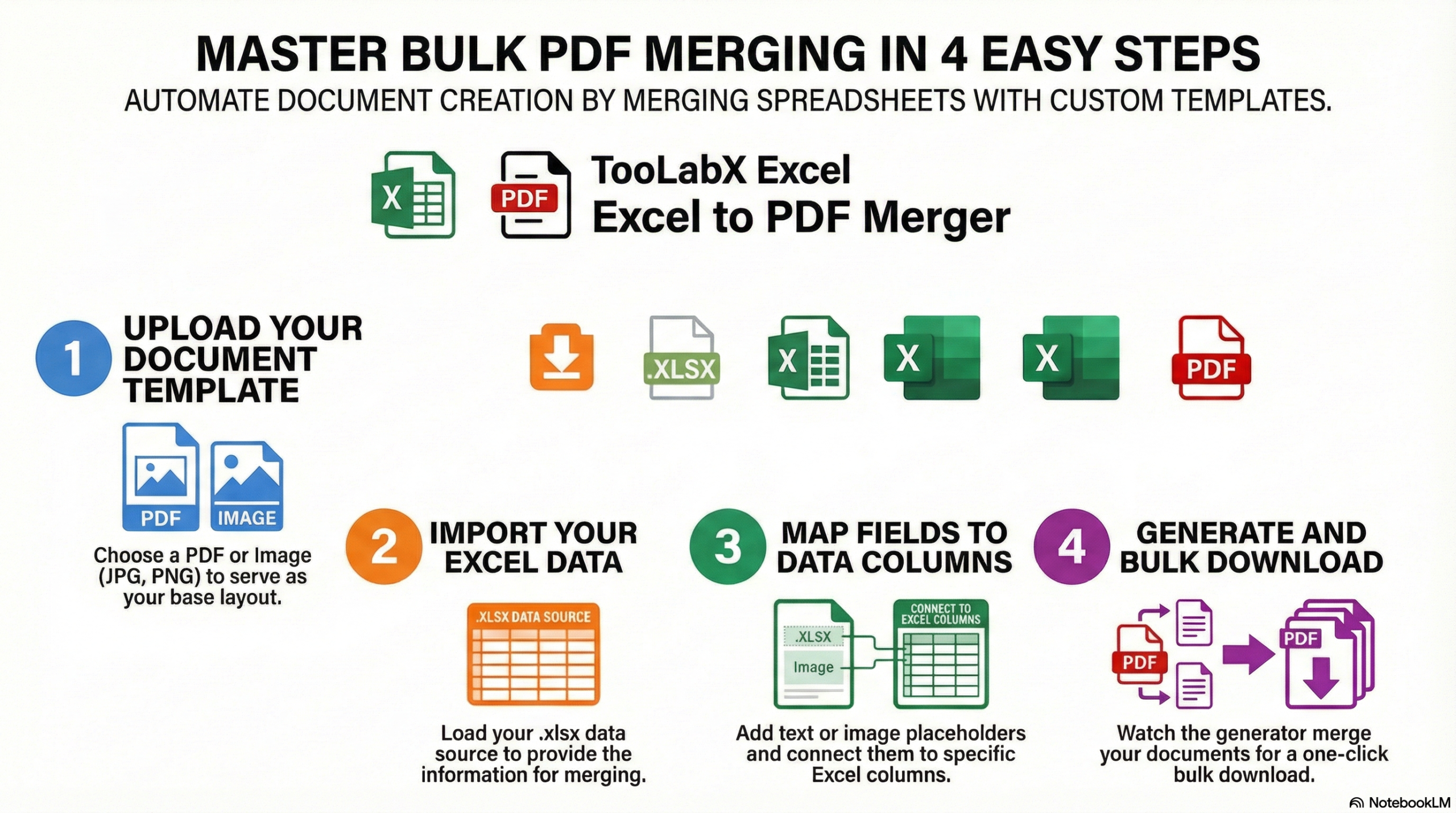
Why Choose TooLabX Excel to PDF Merger?
Stop wasting hours manually typing out certificates, letters, or ID cards. The TooLabX Excel to PDF Merger is your ultimate bulk document generator, designed to turn a single template and an Excel spreadsheet into hundreds of customized PDFs in seconds.
100% Client-Side Privacy: Your sensitive data is completely secure. Unlike other online tools, TooLabX processes everything directly inside your web browser. Your templates and Excel data never touch our servers.
Massive Time Savings: Whether you are an HR manager generating 500 offer letters or a teacher creating student certificates, our batch PDF creator automates the heavy lifting.
Rich Multilingual Typography: We natively support a vast library of Google Fonts, including stunning Arabic typefaces (Cairo, Amiri, Tajawal) and elegant English serif/sans-serif options, ensuring your brand identity remains intact.
Pixel-Perfect Customization: Drag, drop, scale, and color-code your dynamic text fields. Add static text or overlay images (like signatures or stamps) exactly where you need them.
No Installation Required: A powerful mail merge PDF tool that lives right in your browser. No bulky software to download, and no premium subscriptions required to get the job done.
How to Use TooLabX Excel to PDF Merger
Generating bulk documents is as easy as 1-2-3. Follow these steps to map your spreadsheet data to your template:
Step 1: Upload Your Assets
Start by uploading your Document Template. This can be an image (JPG, PNG) or a PDF file. Next, upload your Data Source—we support .xlsx, .xls, and .csv files.
Step 2: Add & Position Fields Click “Add Text” to place a text box on your template. You can drag the text box anywhere on the canvas. If you need to add a signature or a watermark, click “Add Image” to upload an overlay.
Step 3: Map Data to Your Spreadsheet
Select your text field on the canvas. In the right-hand Edit Selection panel, use the “Connect to Excel Column” dropdown to link the text to a specific column header from your uploaded spreadsheet (e.g., “First Name” or “Employee ID”).
Step 4: Style Your Content Customize your mapped text by choosing from our extensive font library, adjusting the size, picking a custom hex color, and setting the alignment (Left, Center, Right) so it fits perfectly regardless of name length.
Step 5: Generate and Download Once your template looks perfect, hit the “Download All Documents” button. TooLabX will instantly merge your data and generate a single, multi-page PDF containing all your customized documents!
Frequently Asked Questions
Is my data safe? Do you store my Excel files?
Absolutely safe. TooLabX Document Merger is a purely client-side application. This means all file reading, data mapping, and PDF generation happen locally on your device’s browser. We do not upload, view, or store your templates or data.
What file formats are supported for the template and data?
For your document template, you can upload standard images (JPG, PNG) or a PDF file. For your data source, we support Excel spreadsheets (.xlsx, .xls) and CSV (.csv) files.
Can I use this to generate certificates in Arabic?
Yes! We have specifically integrated high-quality Arabic fonts like Almarai, Scheherazade New, Reem Kufi, and Cairo to ensure excellent right-to-left (RTL) typography for Middle Eastern and North African users.
Is there a limit to how many documents I can generate at once?
Because the tool relies on your browser’s memory, the limit depends on your computer’s hardware. However, it can comfortably handle hundreds of rows of Excel data in a single batch.
Can I add static text that doesn’t change for each document?
Yes. Simply add a text field, leave the “Connect to Excel Column” dropdown set to “Static Text,” and type your desired text in the “Text Content” box. It will remain the same on every generated page.