ProConnect QR Generator
Generates secure, non-expiring codes instantly in your browser.
Design Studio
Supported: PNG, JPEG, SVG. The app automatically ensures readability.
Generated locally. No data is stored.
About ProConnect QR Generator:
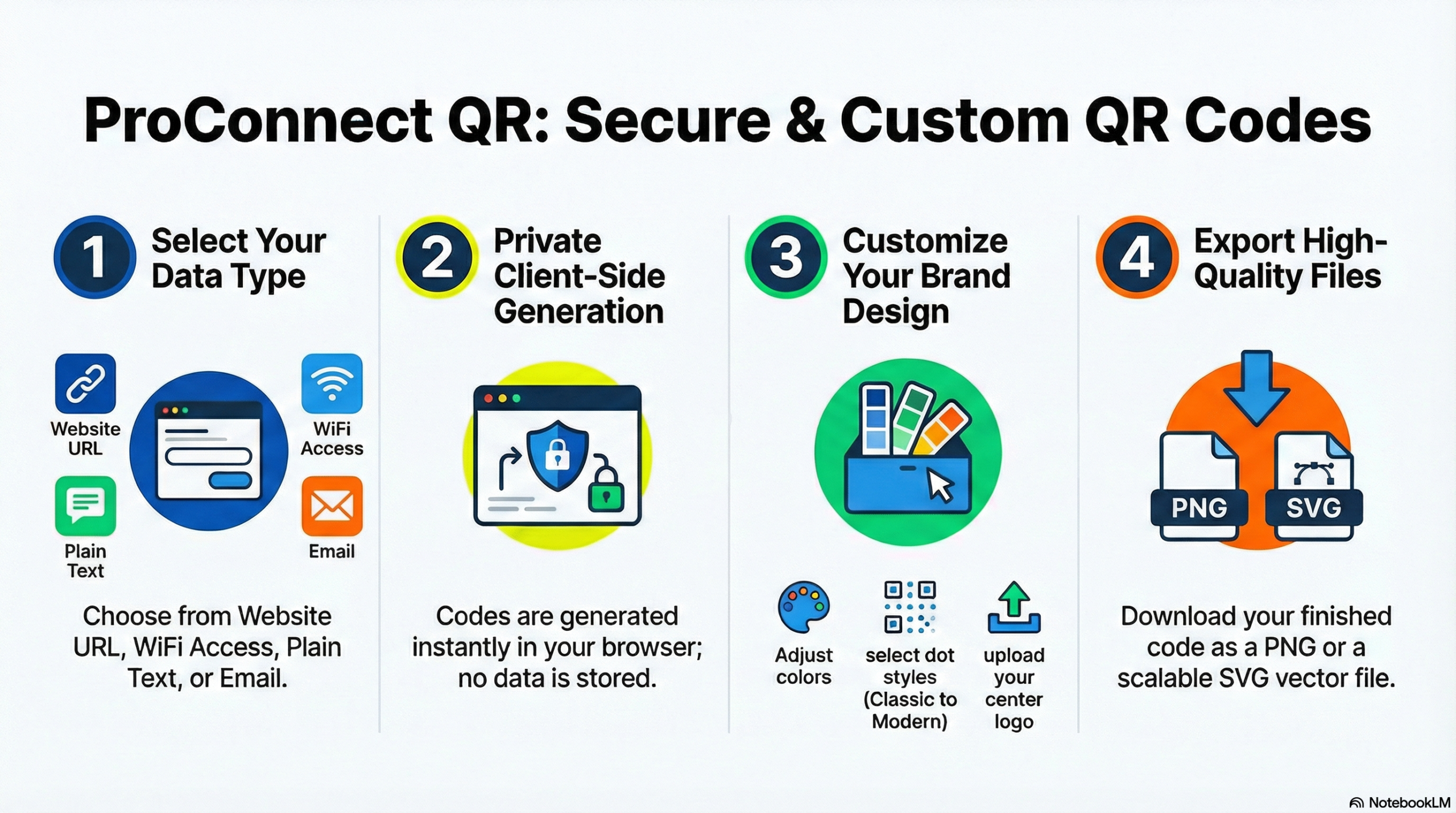
Why Choose ProConnect QR by ToolabX?
Stop settling for blurry, generic, or temporary QR codes. ProConnect QR is engineered for professionals, marketers, and business owners who need reliable, high-resolution codes without the hassle.
🔒 100% Secure & Private (Client-Side): Unlike other free custom QR code generators that store your data on their servers, ToolabX processes everything locally directly within your browser. Your sensitive URLs, emails, and WiFi passwords never leave your device.
🎨 Unlimited Brand Customization: Make your codes pop! Use our Design Studio to modify dot styles, adjust corner squares, tweak background colors, and even add a logo to your QR code to perfectly match your brand identity.
📐 Print-Ready Vector Formats (SVG & PNG): Whether you need a crisp PNG for a digital newsletter or a scalable vector QR code (SVG) for massive billboard prints, we provide instant, high-resolution downloads that never lose quality.
⚡ Four Dynamic Modes: Generate codes for website URLs, plain text, instant email inquiries, or one-tap WiFi access. No sign-ups or subscriptions required.
♾️ Never Expires: Every code generated through ProConnect QR is completely static. That means no unexpected expiration dates, no broken links, and zero hidden limits.
How to Create Your Custom QR Code in Seconds
Using the ToolabX QR creator is completely intuitive. You can go from a blank canvas to a print-ready asset in four simple steps:
Select Your Mode: Choose what you want your QR code to do—open a Website URL, display Plain Text, connect to a WiFi network, or compose an Email.
Enter Your Data: Input your link, text, or credentials into the secure fields. The live preview updates instantly.
Design & Brand It: Open the Design Studio to change the dot and background colors. Adjust the dot and corner styles for a modern look, and upload your company logo to the center for maximum trust and brand recognition.
Download: Click Download PNG for standard web use, or Download SVG (Vector) if you plan on sending the file to a professional printer.
Frequently Asked Questions
Do the QR codes generated on ToolabX ever expire?
No. ProConnect generates static QR codes, which means the data is hard-coded directly into the pattern. They will work forever and never expire.
Is my data stored on your servers?
Absolutely not. ProConnect QR is built entirely on client-side architecture. This means your data is converted into a QR code right inside your own browser. We never see, track, or save the information you input.
Can I use these QR codes for commercial purposes?
Yes! You are completely free to use the QR codes you generate for commercial print, product packaging, business cards, menus, and marketing campaigns.
Why should I download the SVG version?
SVG (Scalable Vector Graphics) is a premium format used by designers. It allows you to stretch the QR code to any size—from a postage stamp to a highway billboard—without it ever becoming pixelated or blurry.
My logo is making the QR code hard to scan. What should I do?
If your custom QR code with a logo won’t scan, try increasing the contrast between your “Dots Color” and “Background Color.” Also, ensure your logo isn’t so large that it covers up the critical alignment squares in the corners.